
Shop Pay- Add/Change a CardUpdated 9 months ago
To add/change a card using the third-party app Shop Pay, please follow the instructions below:
1. Please go to this website to access your account: https://shop.app/pay/authentication/login. Kindly enter your Olive Oil Lovers email address.
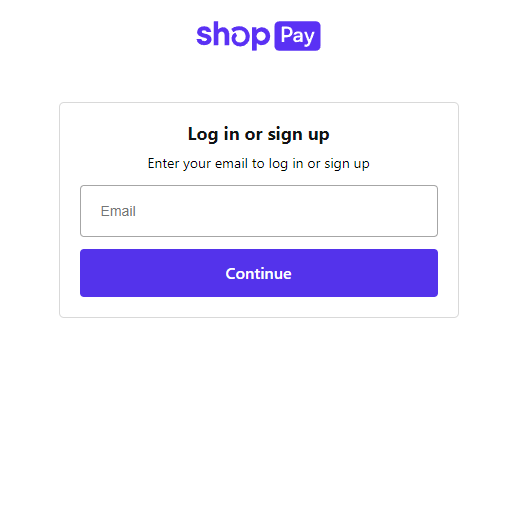
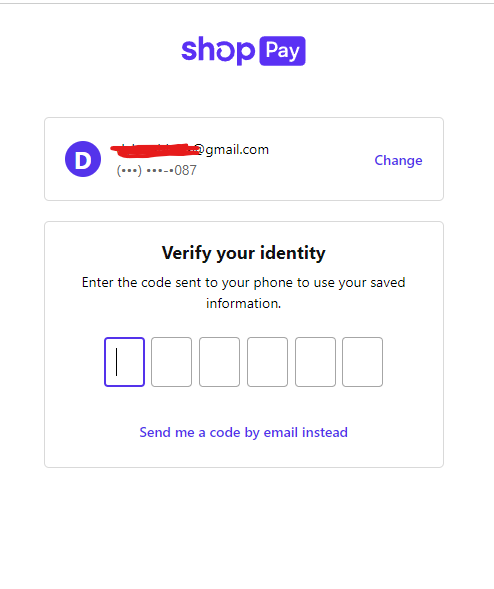
2. Select continue. And Shop Pay will send you a code via email or SMS to confirm your login details. Once you receive it, enter the code you received.
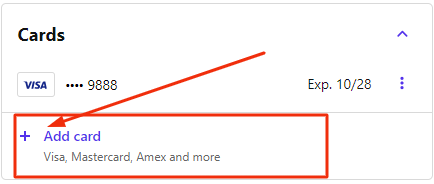
3. Kindly click the plus icon (+) to add a card.
4. Enter your new card details.
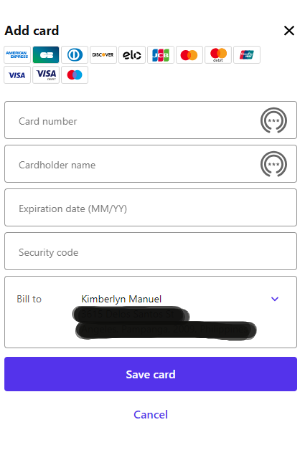
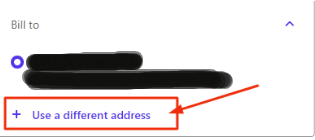
5. Please click the drop-down arrow to change the billing address and select "Use a different address"
6. Once all the information was entered you can hit "Save Card".
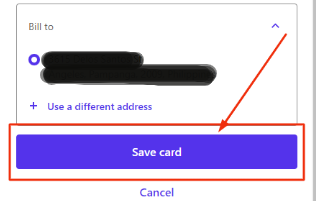
Once you can complete this process it will allow you to use this card for your payment.